 PrintSplit & Pin
Split Huge 3D Prints.
Auto-Carve Watertight Pins.
Got a model too large for your print bed? Slice it in 1 click, auto-generate alignment dowel pins with custom clearance, and launch straight into OrcaSlicer & Bambu Studio.
Designed Specifically for 3D Printing
No bloated CAD constraint solvers. No clunky slicer cut tools. Just clean, mechanical joints.
Instant 1-Click Plane Cut
Cut along Z, Y, or X axes or enter exact cut heights. The real-time 3D SceneKit viewport shows both halves instantly with exploded viewing.
Mechanical Dowel Pins & Sockets
Automatically calculates optimal pin locations. Carves precise socket cavities into Part A and Part B with configurable clearance (0.2 mm default).
100% Watertight Manifold Meshes
Delaunay planar cap triangulation matches exact boundary vertices. Zero open edges, zero non-manifold edges. Never see "Fix Model" errors again.
Auto-Arranged Build Plate Layout
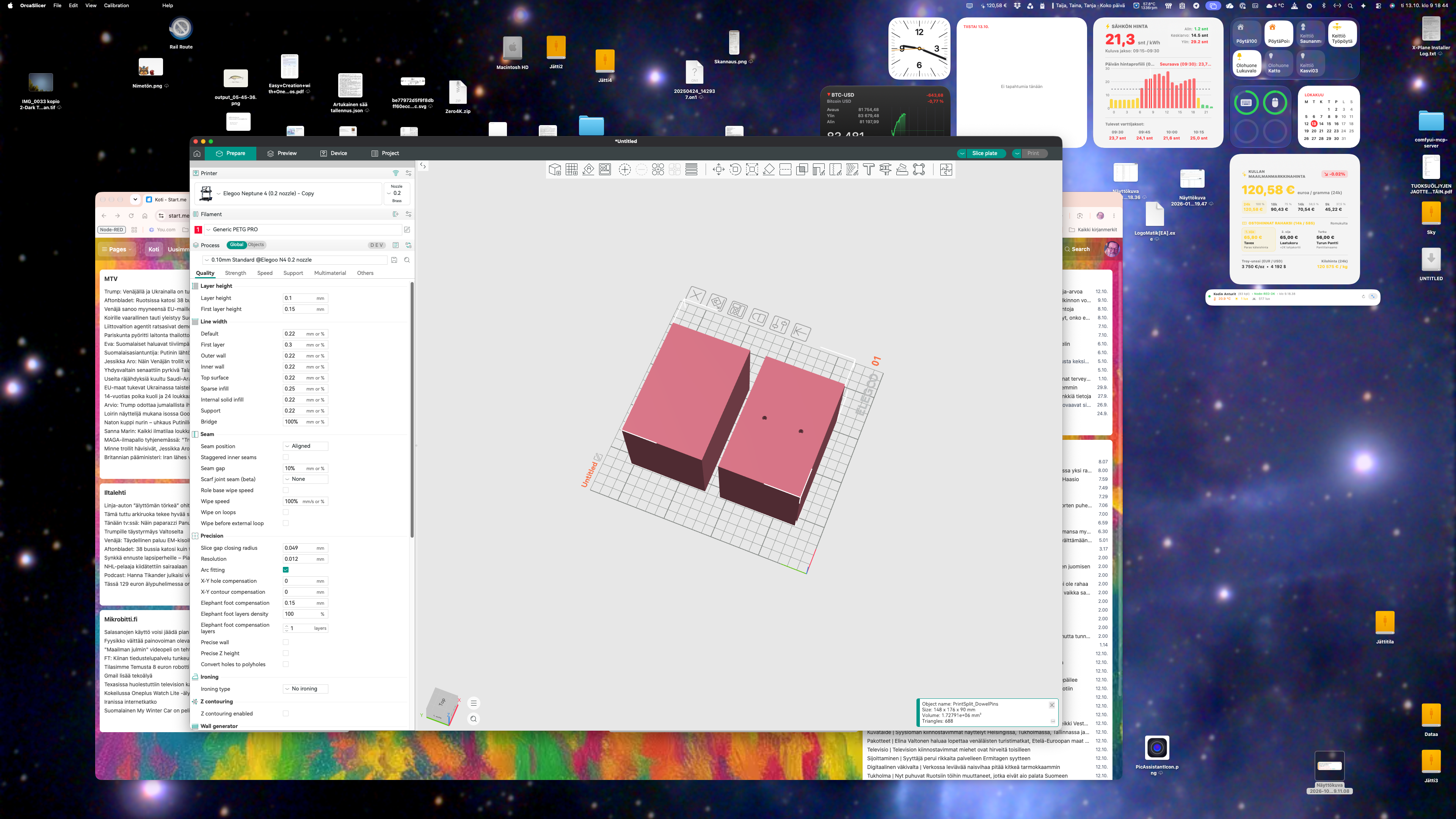
Both split parts and upright printable pins are placed flat on the build bed ($Z = 0$), pre-spaced side-by-side to prevent bounding collisions.
1-Click OrcaSlicer & Bambu Studio
One button exports clean binary STLs and directly activates OrcaSlicer or Bambu Studio, with all parts loaded on your printer plate ready to slice.
100% Native & Private
Built with Swift and Metal/SceneKit. 0.1 second launch time. The entire application is under 1 MB. No telemetry, no accounts, no cloud sync delays.
Why Makers Choose PrintSplit
Compare PrintSplit & Pin against traditional slicing and heavy CAD suites.
| Feature | PrintSplit & Pin | Slicer Cut Tools | Fusion 360 / Blender |
|---|---|---|---|
| Startup Time | 0.1 seconds | 10–15 seconds | 25–40 seconds |
| Download Size | 951 KB | 250+ MB | 2.5+ GB |
| Socket Carving | Automatic with clearance | Manual peg placement | Manual boolean subtraction |
| Mesh Manifold Quality | Guaranteed 0 open edges | Frequent non-manifold errors | Frequent mesh import crashes |
| Print Bed Placement | Pre-spaced at Z = 0 | Manual drop & re-orient | Manual export & coordinate shift |
| Pricing | 29 € one-time (Lifetime) | Free (Basic) | 600 € / year subscription |
🔥 The Complete Mac Maker Pro Bundle
Combine PrintCAD (Fast Native CAD with DIN Fasteners) and PrintSplit & Pin (Split & Alignment Pin Generator) for the ultimate 3D printing workflow.
Get Both for 39 € (Save 19 €)Frequently Asked Questions
How does the free trial work?
PrintSplit includes a fully functional 14-day free trial. You can split models, generate pins, and test the 1-click slicer export with zero restrictions. No account or credit card required.
Which 3D printers and slicers are supported?
PrintSplit exports standard high-precision binary STL files compatible with all slicers (OrcaSlicer, Bambu Studio, PrusaSlicer, Cura, Anycubic). The 1-click launch button detects OrcaSlicer and Bambu Studio automatically.
Can I adjust the clearance between pins and holes?
Yes! FDM 3D printers typically need 0.15 mm to 0.25 mm clearance so pins slide in smoothly with a firm friction fit. You can freely adjust the clearance, pin diameter, and pin length in the settings sidebar.
Does PrintSplit run on Apple Silicon?
Yes. PrintSplit is compiled as a Universal macOS binary with full native support for Apple Silicon (M1, M2, M3, M4) and Intel Macs running macOS 14 Sonoma or newer.